

 Web search
 Links
Links Notes
Notes Files
Files Articles
 Contacts
 Home
Home Dashboard
 Tasks
Tasks Projects
 Messages
 Events
 Time tracker
 Forum
Forum Documentation
 Shell
Shell Workers
 Templates
 AI dashboard
 AI usage
 APIs & MCP
 Objects
# Visual Optimization for Programmers
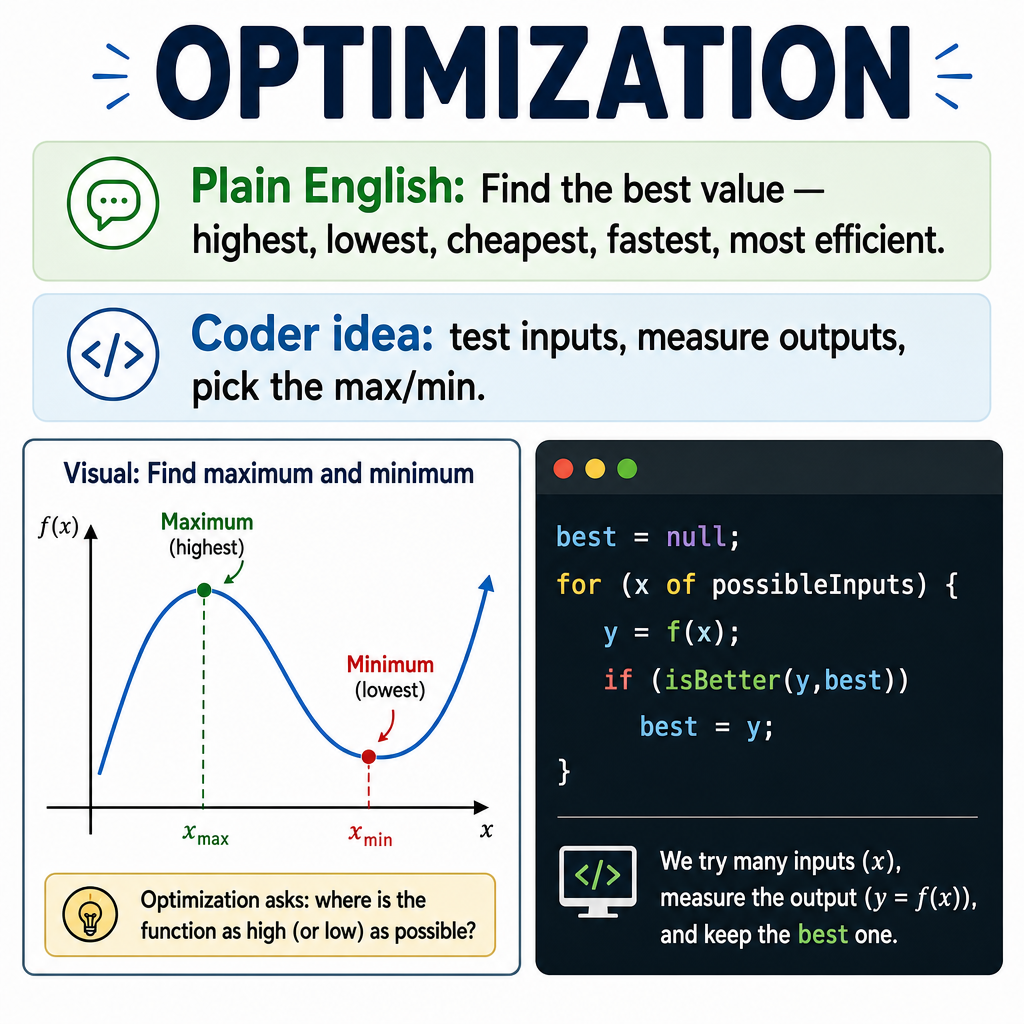
## Plain English first
Optimization means finding the **best** answer: the highest point, the lowest cost, the fastest path, the most efficient setting.
On a smooth hill, the very top is easy to find — it's where the ground flattens out. You can't go higher in any direction. That flat spot is a maximum.
A valley works the same way in reverse. The very bottom is where the ground stops falling and hasn't started rising yet. That's a minimum.
The key insight: **at a maximum or minimum, the slope is zero**.
## The picture
```text
f(x)
| *
| * * ← slope = 0 at the peak (maximum)
| * *
| * *
| ** **
|** **
|________________ x
```
## Standard math notation
```text
At a maximum or minimum: f'(x) = 0
Where f'(x) is the derivative — the slope of f at point x.
```
## Verbose Python with descriptive names
### Brute-force search (no calculus needed)
```python
def find_best_input_by_searching(
function_to_optimize,
search_start,
search_end,
number_of_search_steps,
find_maximum=True
):
"""
Find the input value that produces the best (highest or lowest)
output by checking many evenly-spaced candidate inputs.
This is the programmer's approach: try everything, keep the best.
Works when you don't have a formula for the derivative.
"""
step_size = (search_end - search_start) / number_of_search_steps
best_input_so_far = None
best_output_so_far = None
for step_index in range(number_of_search_steps + 1):
candidate_input = search_start + step_index * step_size
candidate_output = function_to_optimize(candidate_input)
if best_output_so_far is None:
best_input_so_far = candidate_input
best_output_so_far = candidate_output
elif find_maximum and candidate_output > best_output_so_far:
best_input_so_far = candidate_input
best_output_so_far = candidate_output
elif not find_maximum and candidate_output < best_output_so_far:
best_input_so_far = candidate_input
best_output_so_far = candidate_output
return best_input_so_far, best_output_so_far
```
### Gradient descent (smarter, widely used in machine learning)
```python
def find_minimum_by_walking_downhill(
function_to_minimize,
starting_input,
learning_rate,
number_of_steps
):
"""
Start somewhere. Check whether moving left or right decreases the output.
Step in the direction that goes downhill. Repeat.
This is gradient descent — the engine behind most neural network training.
"""
current_input = starting_input
tiny_step = 0.000001 # for estimating slope numerically
for iteration in range(number_of_steps):
# Estimate slope at current position
output_here = function_to_minimize(current_input)
output_one_step_right = function_to_minimize(current_input + tiny_step)
slope_at_current = (output_one_step_right - output_here) / tiny_step
# Move opposite to the slope (downhill)
current_input = current_input - learning_rate * slope_at_current
return current_input
```
## Real uses
- **Game AI**: find the best move, the most efficient path
- **Machine learning**: minimize prediction error (loss function)
- **Engineering**: maximize strength, minimize material cost
- **Finance**: minimize risk for a given return
## Common mistakes
- Stopping at a local minimum (a valley in one area) instead of the global minimum (the deepest valley anywhere). Brute-force avoids this; gradient descent can get stuck.
- Setting the learning rate too high — the algorithm overshoots and bounces around instead of converging.
- Forgetting that `f'(x) = 0` finds both maxima and minima (and saddle points). You have to check which one you found.
## See also
- [Visual Calculus for Programmers](/articles/cbda355b-86cb-4c12-aebb-de239c2eb6b4)
- [Visual Limits for Programmers](/articles/78ce0fe1-1e06-4fd6-98a1-b539a8b5c99f)
- [Visual Integrals for Programmers](/articles/01b9a7a2-ec93-49ec-9c96-b71a39dc11dd)
- [Visual Calculus — Table of Contents](/articles/fea3e669-0917-44f9-abee-4a012a962f96)